
Unlocking the Secret to Perfect PETG Prints: Discover the Ideal Temperature!
When it comes to 3D printing, the temperature settings can make or break your project. This holds particularly true for PETG filament, a popular choice among makers for its balance of strength and flexibility. Many users, including some friends of mine who have dabbled in 3D printing, often find themselves frustrated by common challenges such as poor adhesion, warping, or stringing. This article aims to clarify the optimal temperature settings for PETG printing, addressing these issues head-on and helping you achieve the quality prints you desire.
Understanding PETG Filament
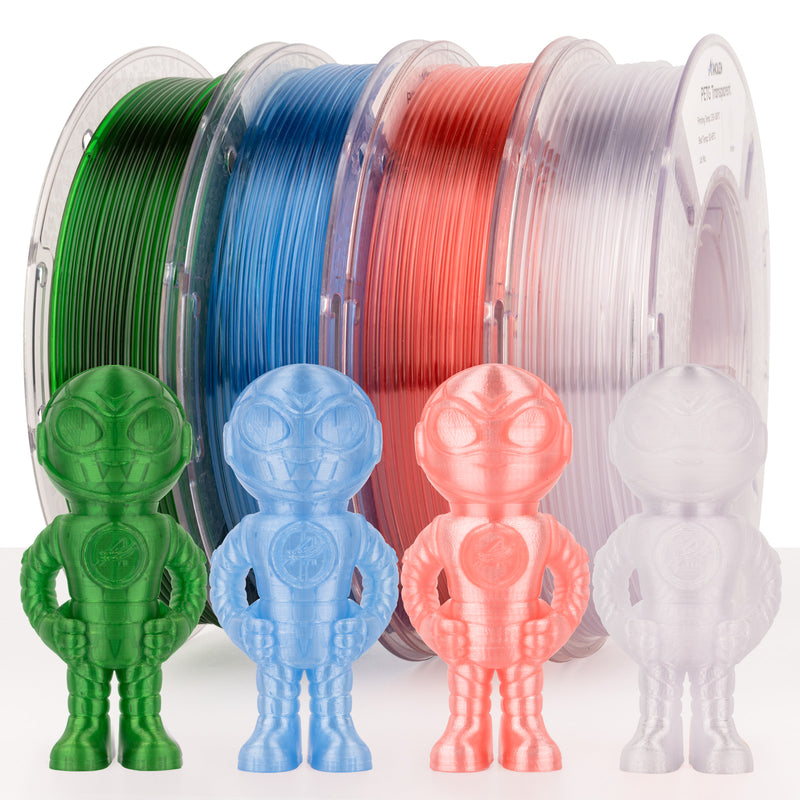
PETG, or polyethylene terephthalate glycol-modified, is a copolyester that has gained popularity in the 3D printing community for its unique properties. One of the primary advantages of PETG is its durability; it is less brittle than PLA and can withstand a greater degree of impact, making it ideal for functional parts. Additionally, PETG exhibits a good degree of flexibility, which means it can bend without breaking. It also has excellent layer adhesion and is less prone to warping compared to other materials like ABS. However, while these properties are appealing, they also mean that the temperature settings during printing are crucial for achieving the best results.
The Importance of Temperature in 3D Printing
Temperature plays a vital role in the 3D printing process, affecting everything from layer adhesion to print quality. With PETG filament, the right temperature range ensures that the material flows smoothly through the nozzle, allowing for proper extrusion. If the temperature is too low, you may experience poor layer adhesion, resulting in weak prints that can easily break. Conversely, printing at too high a temperature can lead to issues such as stringing, where excess filament oozes out during travel moves, creating messy prints. Understanding these temperature dynamics is essential for achieving optimal results with PETG, as incorrect settings can lead to a host of frustrating problems.
Optimal Temperature Settings for PETG
For PETG filament, the optimal temperature range typically falls between 220°C and 250°C. However, this range can vary based on several factors, including the specific printer model, the type of PETG used, and environmental conditions like room temperature and humidity. For instance, a friend of mine noticed that when printing in a cooler room, he had to increase the temperature slightly to achieve better adhesion. It's essential to start within this range and make adjustments based on your specific setup. Additionally, the bed temperature should also be set between 70°C and 80°C to help combat warping and promote better adhesion.
Testing and Adjusting Temperature
To find the perfect temperature for your PETG prints, testing and adjustment are key. One effective method is to create calibration prints, which are simple geometric shapes that allow you to observe how the filament behaves at different temperatures. Start at the lower end of the recommended range and incrementally increase the temperature while monitoring the print quality. Pay attention to the details: are the layers adhering well? Is there any stringing? Making small adjustments can lead to significant improvements in the final output.
Common Issues and Troubleshooting
Even with the right temperature settings, you may encounter common printing issues. Stringing, characterized by fine strands of filament between parts of your print, can often be mitigated by lowering the printing temperature slightly or adjusting the retraction settings on your printer. Warping, where the edges of your print lift from the bed, can be reduced by ensuring your print bed is properly heated and using a suitable adhesive, such as a glue stick or hairspray. Lastly, if layer adhesion is poor, consider increasing the temperature or ensuring your print speed is not too fast, allowing the filament to bond more effectively. Each issue has its root cause, and understanding how temperature plays into these challenges is vital for successful printing.
Mastering Temperature for Quality PETG Prints
Understanding the optimal temperature settings for PETG filament is crucial for achieving high-quality 3D prints. From ensuring proper layer adhesion to minimizing common issues like warping and stringing, temperature management plays a pivotal role. As you experiment with your settings, remember that patience and incremental adjustments are key. Embrace the process, and don't hesitate to learn from each print; the right temperature can unlock a world of possibilities in your 3D printing journey!